Canvas scheduling
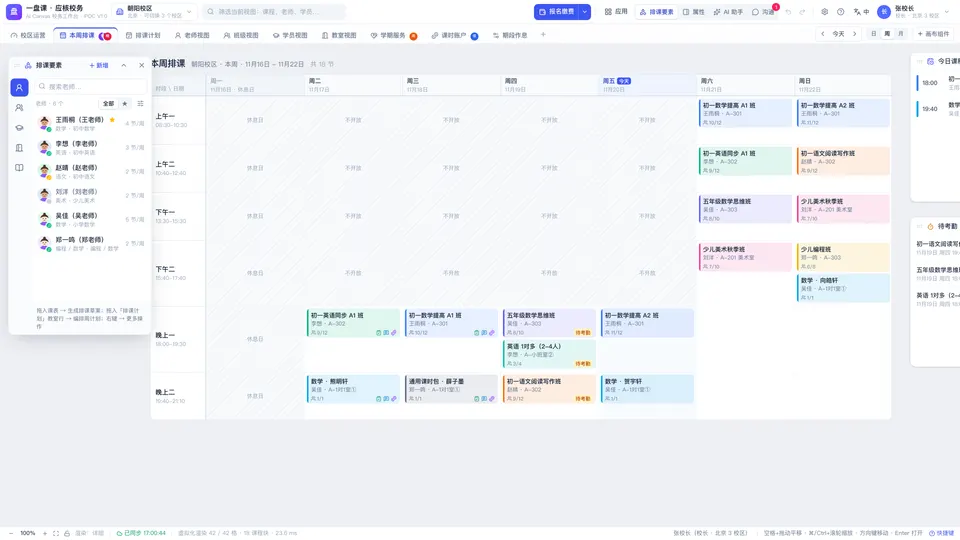
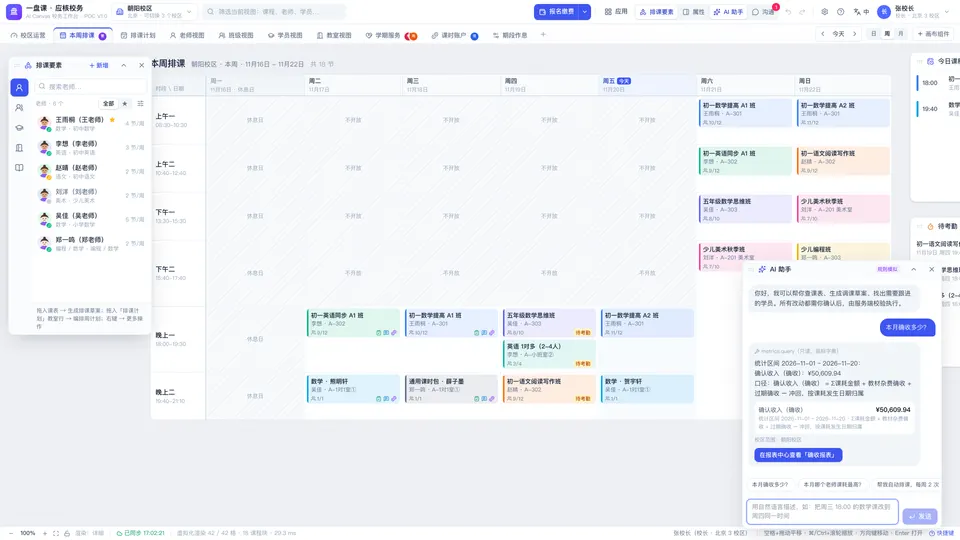
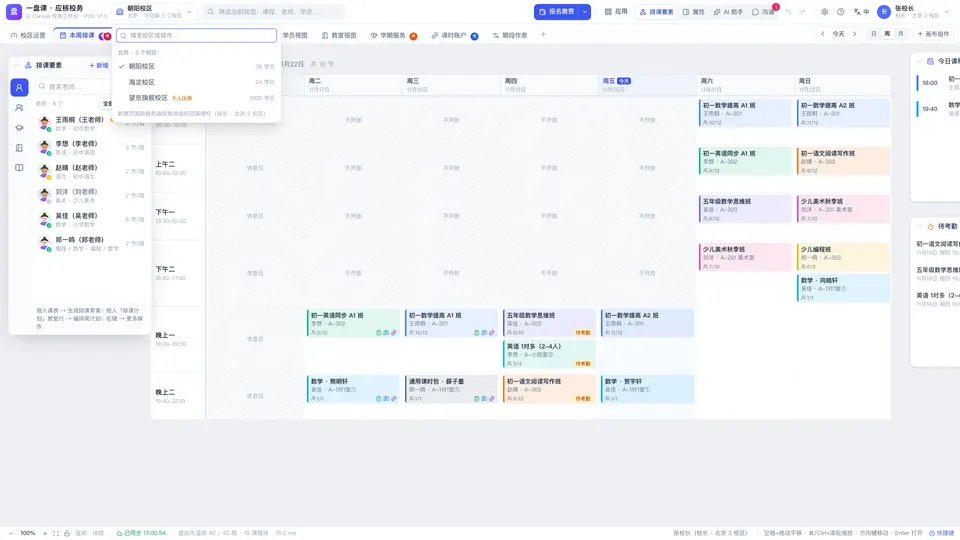
The whole week sits on a pannable, zoomable canvas. Drag a teacher or class into a free slot to create a lesson; teacher, room and student conflicts are flagged immediately.
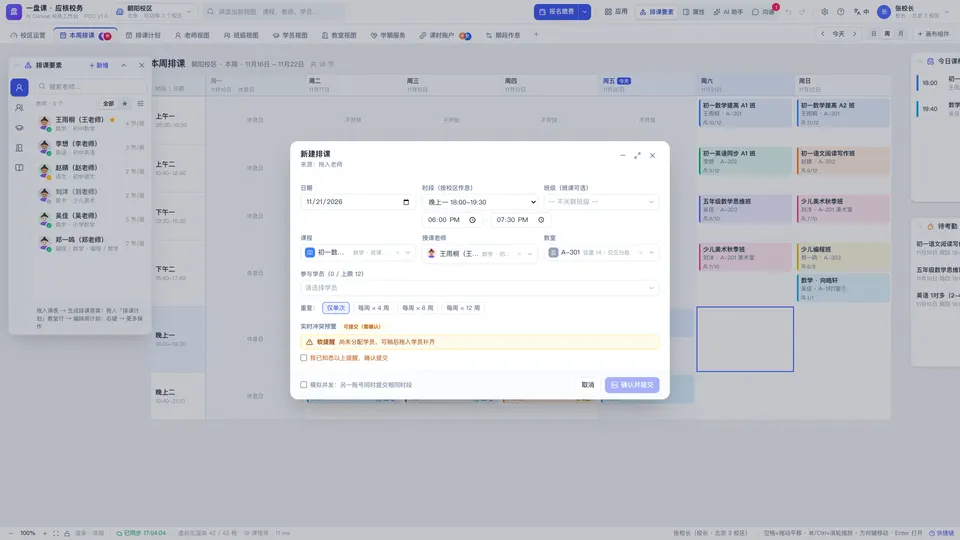
Yipanke is built for multi-campus training schools. Academic staff drag lessons onto a canvas timetable, front desks handle enrollment and payments in the same workbench, finance reports recognized revenue and commissions from delivered lessons, and teachers and parents use the app for attendance, leave and feedback.
Once approved, your school is set up automatically and the administrator signs in to the PC workbench by email.
Terms, daily periods, teacher availability and classrooms all constrain each other. Changing one lesson in Excel means checking teacher, room and student conflicts by hand.
Tuition is paid up front and recognized as lessons are delivered. Free hours, subject transfers, refunds and expiry make balances hard to reconcile.
Campus consumption, renewals and teacher commissions are assembled from several spreadsheets, often with different definitions.
Principals should only see their own campus, yet parent phone numbers and financial data travel around in shared spreadsheets.
These capabilities are delivered in the PC workbench and the app. Screenshots use demo data.
The whole week sits on a pannable, zoomable canvas. Drag a teacher or class into a free slot to create a lesson; teacher, room and student conflicts are flagged immediately.
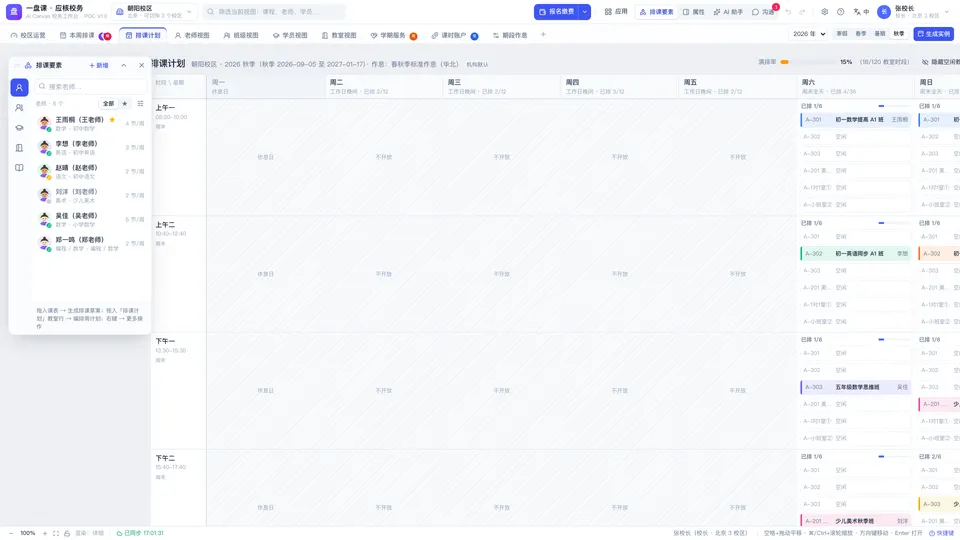
Build weekly plans per term and daily-period template, then generate a full term of lessons at once. Auto-scheduling proposes candidates from teacher availability and room capacity; nothing is saved until you confirm.
Ask about collections, lesson consumption or attendance in plain language. Answers state the metric definition and campus scope and link to the matching report; rescheduling is only drafted for a person to confirm.
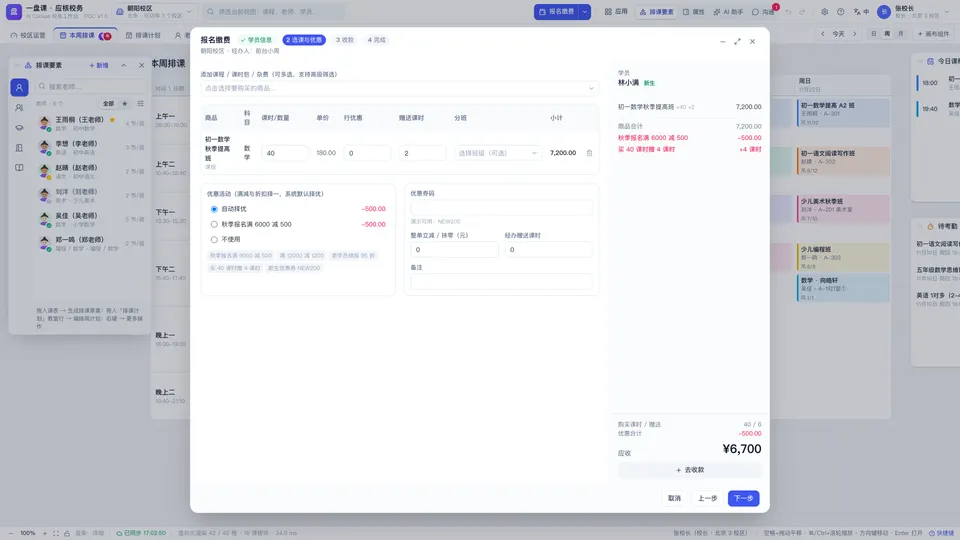
Enroll, choose courses and pay in three steps, with promotions and coupons applied automatically. WeChat Pay and Alipay QR collection and original-route refunds are supported.
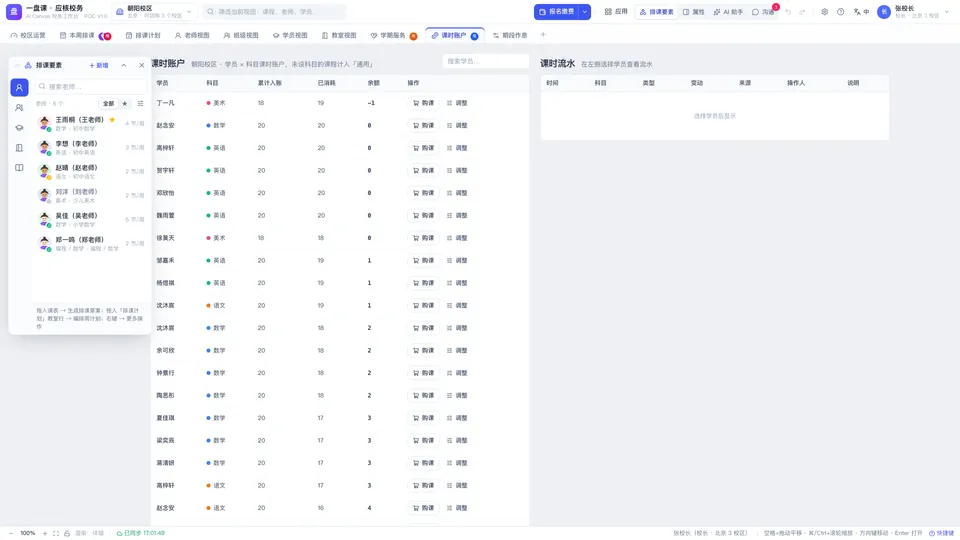
Each student has an hour account per subject, deducted first-in-first-out by purchase batch. Free hours, transfers, refunds and expiry all leave a traceable record.
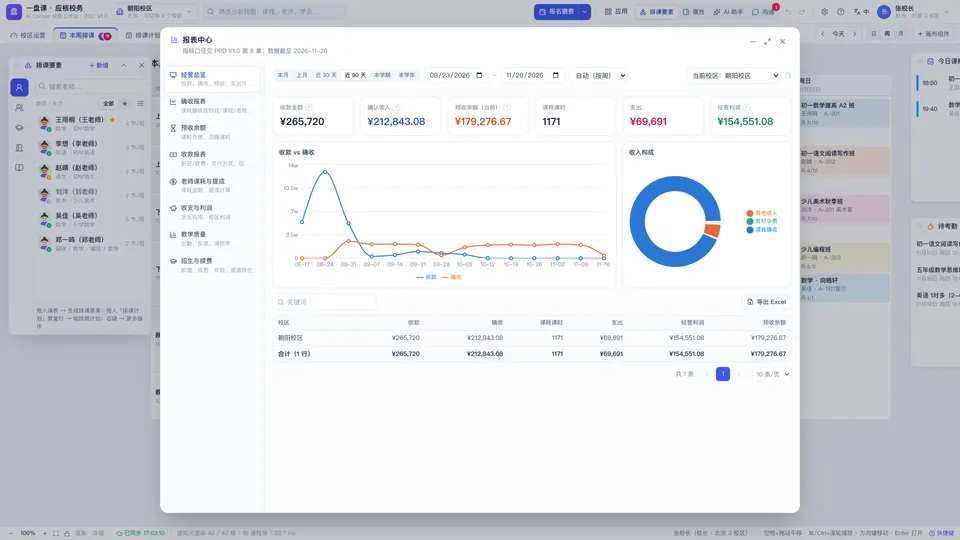
Collections, recognized revenue, deferred revenue and lesson consumption are reported separately. Commission rules support combinations and tiered rates and generate statements from each teacher’s delivered lessons.
Regions, campuses, roles and data scopes are configured in one place, so each account only sees the campuses it is granted. Exports are registered and watermarked, and key actions are audited.
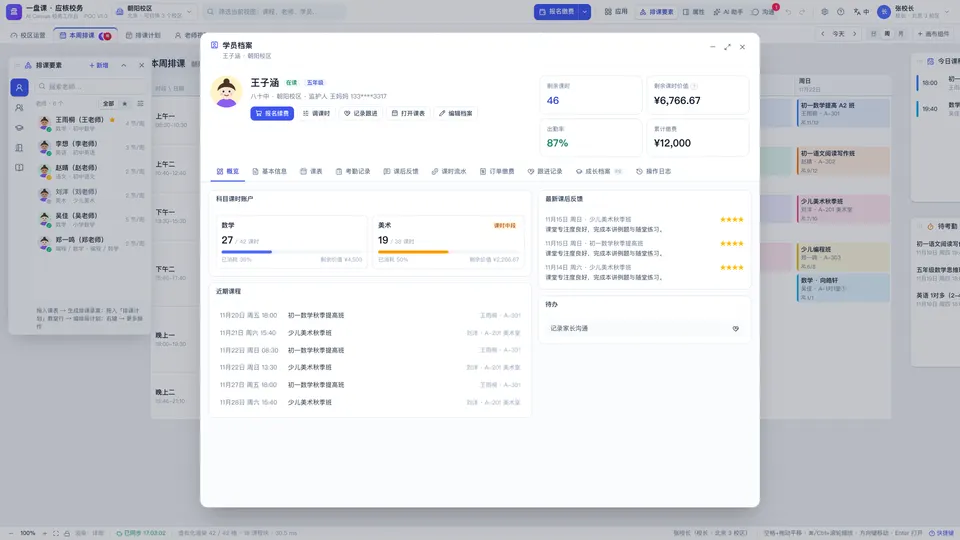
One profile per student brings together the timetable, attendance, lesson feedback, hour transactions, orders and follow-up notes.
Every step uses the same student, course and lesson-hour records, so each step reads the result of the one before.
Record leads and follow-ups, book trial lessons into existing sessions and enroll directly after conversion.
Collect payment, credit hours by batch and add the student to the class roster automatically.
Plan each week by term and generate the term’s lessons; the server makes the final conflict check.
Teachers take attendance and write feedback; settlement deducts hours by batch and records consumption and revenue.
Low balances, unpaid orders and expiring hours create follow-up tasks for student advisors.
Tuition flows into income and expenses, commissions follow delivered lessons, and reports roll up by campus and period.
Roles can be limited to a region or campus; lists, reports and exports only return data within that scope.
Lead phone numbers are stored encrypted, and payment channel keys are write-only.
Exports are registered and watermarked. Scheduling, payments, refunds and permission changes are written to the audit log.
Large chains can choose a dedicated database, keeping their business data separate from other schools.
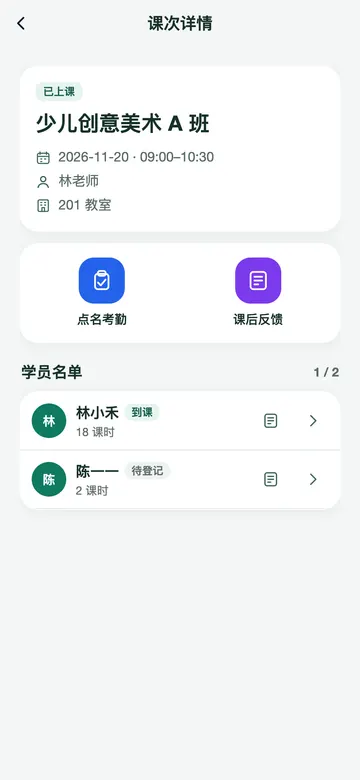
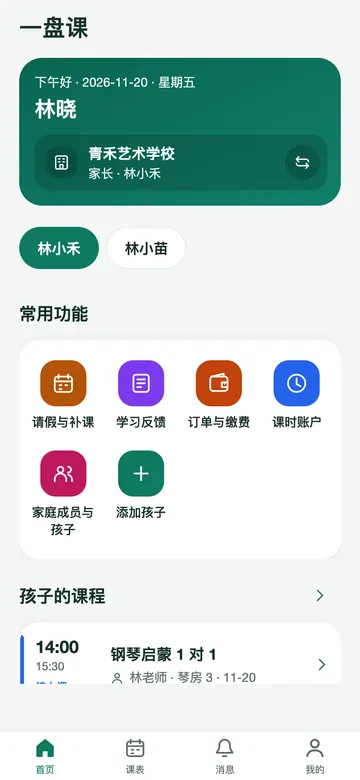
One app serves both staff and parents and shows a different home screen for each role after sign-in.
Yipanke plans are combined from the size of your school and the modules you need. After you apply, we quote based on your campuses and usage; prices follow the service contract signed by both parties.
Priced by the number of active campuses; regions and campuses can be added as you grow.
Plans set limits on teacher accounts and active students.
Admissions, AI assistant, commissions, finance, reports and term service can be enabled as needed.
Attachment storage is set by plan; a dedicated database is available.
New schools start with a trial period. The trial length is stated in your activation notice.
Apply and request a quoteThe PC workbench runs in the browser. Teachers and parents use the Yipanke app on iOS, Android and HarmonyOS.
Students, teachers, courses and leads can be imported from Excel. Files are pre-checked, and failed rows can be downloaded, fixed and imported again.
After you apply and verify your email and phone, your school is created automatically once the platform approves it, and the administrator receives an email to set a password.
The school records the guardian’s phone number in the workbench. Parents who sign in to the app with that number can link their child, or join through an invitation link from the school.
Both workbench and app accounts can be reset from “Reset password” on this site using an email or phone verification code.
Accounts with export permission can export lists and reports. Every export is registered and watermarked.
Enter your school details and verify your email and phone. Once approved, your workbench is set up automatically.