Product

Yipanke consists of a PC workbench, teacher and parent apps, and a platform console, all reading and writing the same back-end business data. Below are the workbench features available today, by business area.

Scheduling

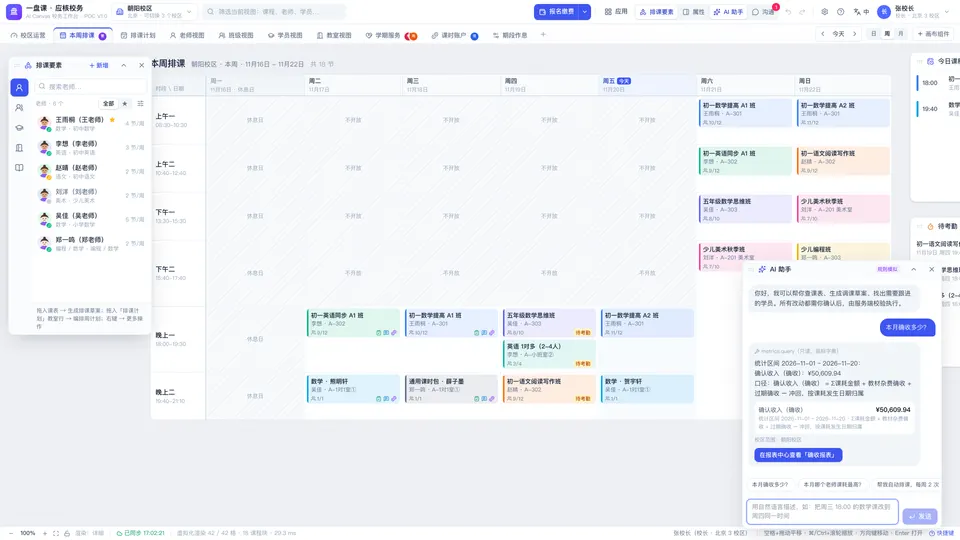
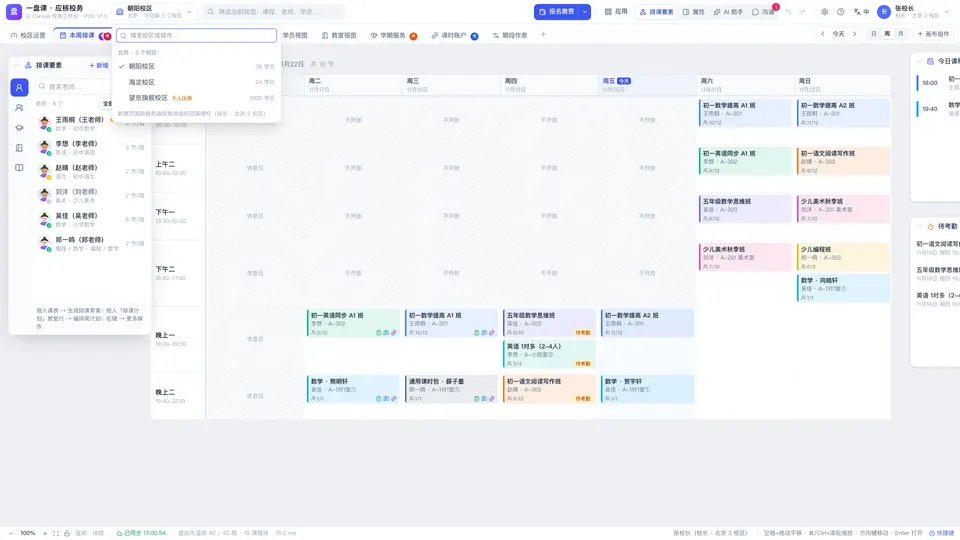
Scheduling is the center of a training school. The workbench turns the timetable into a pannable, zoomable canvas so academic staff see a whole week of teachers, classes, rooms and students on one screen.

  • Switch between teacher, class, room and student views; panning stays smooth for campuses with a thousand students
  • Drag a teacher or class from the toolbox into a free slot to create a lesson, with weekly repeats and bulk rescheduling
  • Terms (spring, summer, autumn, winter) and daily-period templates define lesson slots; weekly plans generate a whole term at once
  • Teachers maintain their availability; conflicts are flagged instantly and finally decided by the server inside a transaction
  • Auto-scheduling solves weekly plan candidates from constraints and only creates lessons for the plan you confirm
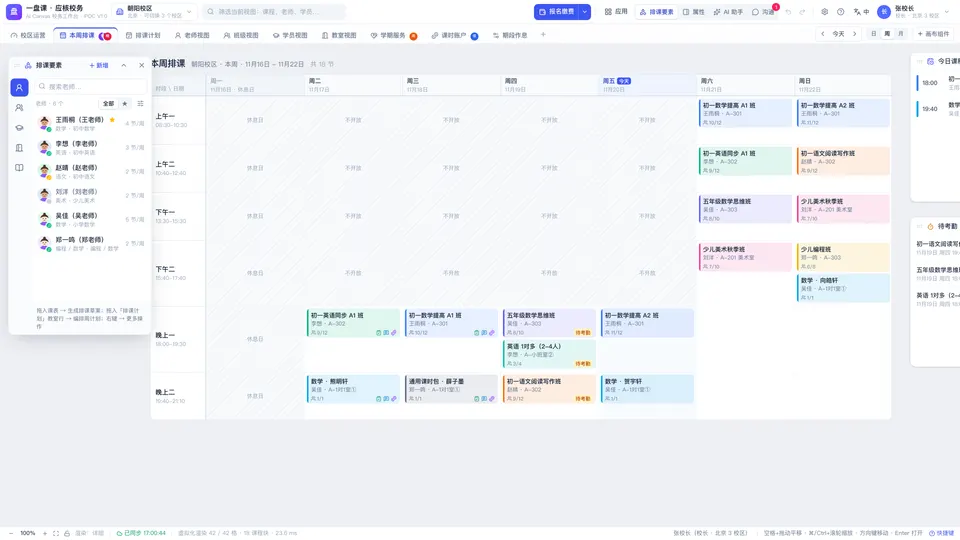
The weekly scheduling canvas with the scheduling toolbox on the left

Academics and lesson hours

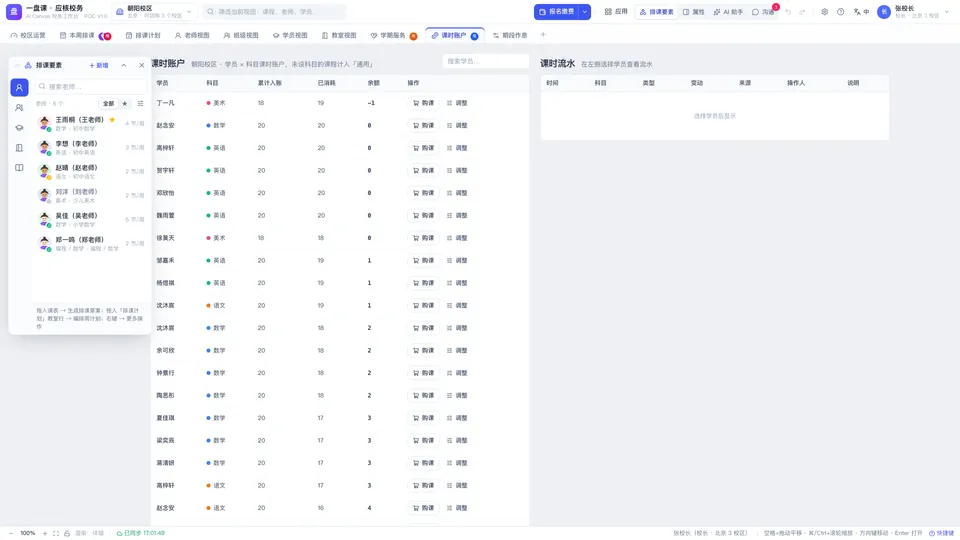
Lesson hours represent prepaid tuition. Yipanke keeps an hour account per student and subject, and every change leaves a record.

  • Attendance, lesson feedback and settlement; settlement deducts hours first-in-first-out by purchase batch and records consumption
  • Leave requests and make-up lessons; leave submitted by parents is reviewed by the school
  • Rosters of generated lessons update automatically after pauses, suspensions, completions, withdrawals and class transfers
  • Subject transfers carry over batch value; campus transfers move hour accounts with the student
  • Hour validity and expiry handling, with manual or automatic revenue recognition on expiry
A student’s subject hour accounts and transactions

Admissions and enrollment

From a new lead to payment and class placement in one flow, with quotes and hour credits calculated by the server.

  • Lead records with duplicate hints, follow-ups and trial lessons, plus Excel import
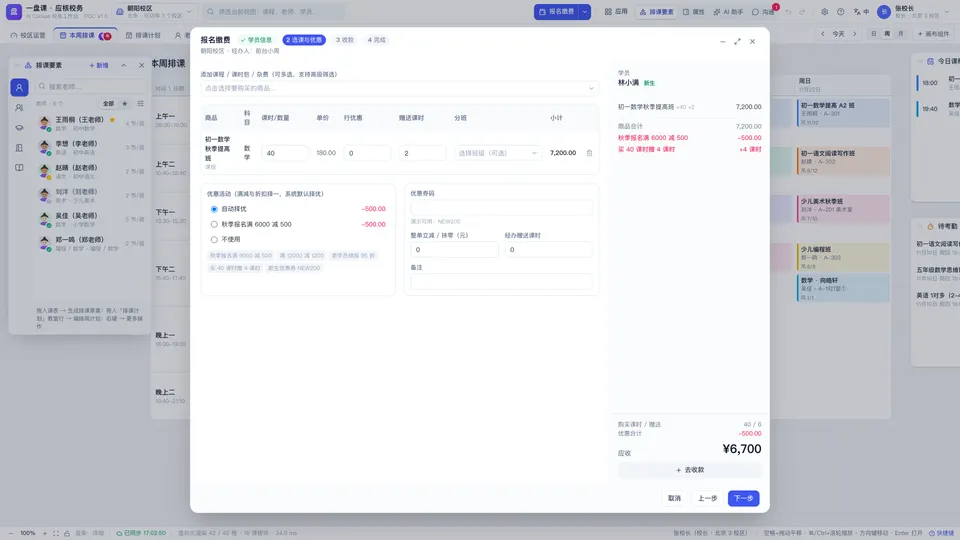
  • The enrollment dialog prices orders from the server’s quote and creates new students in the first step
  • Products and hour packages, promotions and single-use coupons
  • WeChat Pay and Alipay QR collection with original-route refunds, plus offline payment records
  • Order voiding, line-by-line refunds and refund approval
The enrollment and payment dialog

Finance and reports

Collections, recognized revenue and deferred revenue are accounted separately, and reports read lesson-hour transactions and orders directly instead of manual roll-ups.

  • Fund accounts, income and expense entries with review and transfers; tuition collections sync as income
  • Versioned commission rules with combinations and tiered rates, plus statement generation, review and confirmation
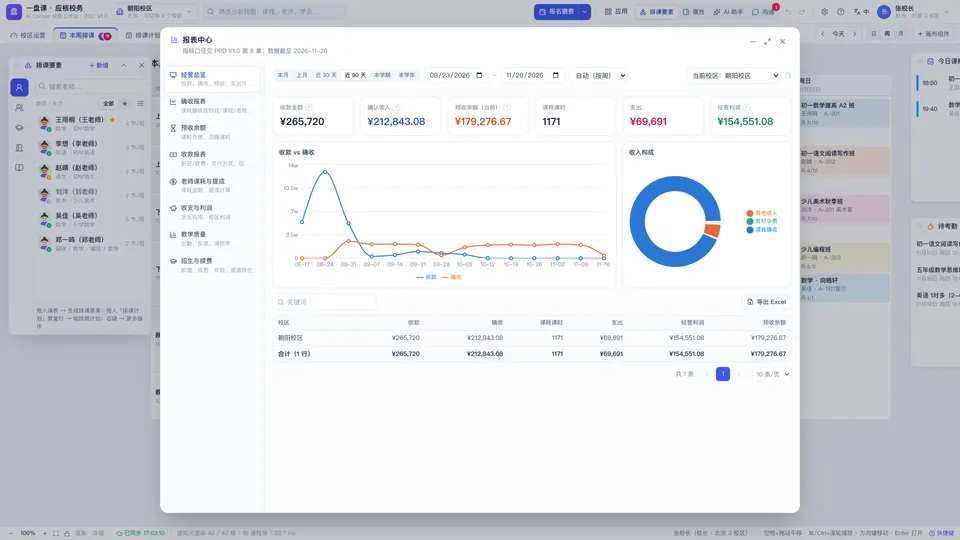
  • The report center covers consumption, collections and refunds, deferred revenue and profit by day, week, month, term or school year
  • Custom data-center views; exports are registered and watermarked
  • Report subscriptions deliver periodic summaries to the notification center or email
The report center

AI assistant

The AI assistant answers through permission-checked workbench tools. Schools can connect their own model service and set a daily quota.

  • Business Q&A covers collections, recognized revenue, consumption, deferred revenue, profit, attendance, new students and more
  • Answers state the metric definition and campus scope and link to the same period in the report center
  • Look up timetables, free rooms, conflicts and pending items
  • Rescheduling is only drafted and submitted after a person confirms it
The AI assistant answering a business question

Organization and permissions

One school can manage several regions and campuses. Permissions control both features and data scope.

  • Regions, campuses, classrooms and campus managers
  • Custom roles with permissions by business module and campus scope
  • Per-account allow and deny exceptions with an effective-permission preview
  • Teacher accounts can be created and suspended; teachers see only the lessons they teach
  • Operation audit, sign-in sessions and remote sign-out
The campus operations view

Teacher and parent app

Teachers handle timetables, attendance, feedback and leads in the app; parents see their child’s timetable, hours and feedback and pay online.

About the app